
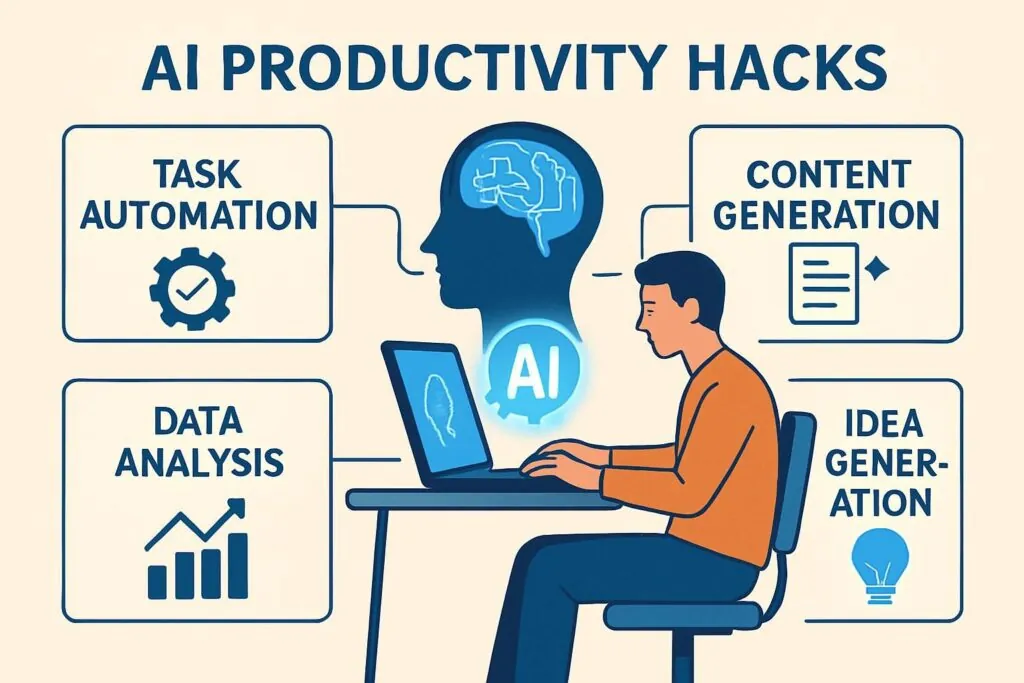
The modern digital landscape demands speed, precision, and relentless efficiency. Knowledge workers, entrepreneurs, developers, and content creators face an ever-increasing volume of information, administrative tasks, and complex workflows. Generative artificial intelligence has evolved from a novelty into an essential engine driving enterprise performance. Mastering top AI platform productivity hacks allows individuals and teams to reclaim dozens of hours each week, eliminate cognitive fatigue, and operate at peak performance.
Maximizing artificial intelligence goes far beyond typing simple questions into a chat box. To unlock genuine transformation, professionals must adopt structured prompting frameworks, leverage custom platform features, automate repetitive tasks, and construct integrated multi-agent workflows. This comprehensive manual explores actionable tactics, advanced prompting strategies, custom platform optimizations, and cross-tool integrations designed to maximize yield from leading AI ecosystems such as ChatGPT, Claude, Perplexity, Google Gemini, and automated pipeline builders.
Strategic Prompt Engineering Foundations
Prompt engineering serves as the foundational interface between human intent and machine execution. Writing vague prompts yields generic, hallucinated, or unhelpful answers, wasting valuable time. Implementing structural prompting techniques ensures high-precision outputs on the first attempt, drastically reducing iteration cycles.
A. The Role-Task-Context-Constraint Framework
Achieving exceptional performance from large language models requires providing total clarity regarding expectations. The Role-Task-Context-Constraint framework structures every prompt to guide the model toward precise execution.
-
Role Definition: Assign a specific expert persona to the AI model. Persona alignment forces the model to draw from specialized latent knowledge, adjusting tone, vocabulary, and analytical rigor.
-
Task Specification: State the primary objective using active, unambiguous verbs. Specify the exact deliverable expected, such as a report, code block, executive summary, or tabular data.
-
Context Provision: Supply necessary background facts, source data, business constraints, or target audience details. Context prevents the model from making dangerous assumptions.
-
Constraint Boundaries: Establish strict parameters on output format, maximum word count, forbidden phrases, target reading level, or required structural elements.
[Framework Template Example]
Act as a Senior Financial Analyst with 15 years of venture capital experience.
Analyze the provided Q3 financial statement and produce an executive briefing memo.
Focus specifically on recurring revenue growth, customer acquisition costs, and cash burn rate.
Format the response using bullet points, restrict total word count to 400 words, and highlight top operational risks.
B. Few-Shot In-Context Learning
Language models excel at pattern recognition. Few-shot prompting provides two to three high-quality examples within the prompt prior to requesting the final output. Demonstrating exact formatting style, tone, and logical steps eliminates ambiguity and guarantees structural consistency across large batches of work.
C. Chain-of-Thought Reasoning Protocols
Complex tasks involving logic, multi-step mathematics, or deep analysis often fail when demanding immediate final answers. Instructing the AI platform to “think step-by-step” or outline its internal reasoning process before delivering a conclusion dramatically reduces hallucinations and operational errors. Forced step-by-step evaluation allows users to audit the reasoning path for total accuracy.
Executive Workflow Hacks for ChatGPT
OpenAI’s flagship platform, ChatGPT, remains a dominant workspace for general productivity, code execution, real-time research, and custom automation. Deploying advanced feature hacks turns the platform into a powerful personal operating system.
+-----------------------------------------------------------------------------------+
|                            CHATGPT WORKFLOW ARCHITECTURE                          |
+-----------------------------------------------------------------------------------+
|  [Custom Instructions]  --> Pre-loads user role, tone, and output preferences     |
|  [Projects & Memory]    --> Maintains persistent context across sessions          |
|  [Custom GPTs]          --> Runs domain-specific, trigger-based micro-agents     |
|  [Canvas Interface]     --> Enables real-time, interactive document editing     |
+-----------------------------------------------------------------------------------+
A. Persistent Custom Instructions and System Rules
Re-typing context regarding your industry, style preferences, and daily responsibilities wastes hours over a month. Custom Instructions allow users to establish permanent system-level rules.
-
Profile Settings: Define who you are, your current projects, preferred software stack, and core professional domain.
-
Response Formatting Preferences: Specify default constraints, such as “Always write concisely,” “Never use corporate buzzwords,” “Provide direct answers before explanations,” or “Default all code outputs to Python with detailed docstrings.”
B. Advanced Memory and Project Scoping
ChatGPT features persistent memory across long-running sessions. Utilizing project folders allows knowledge workers to compartmentalize distinct clients, research papers, or software repositories.
-
Memory Auditing: Periodically review stored memory fragments in setting controls to remove outdated details or refine core professional parameters.
-
Isolated Project Workspaces: Group files, custom prompts, and chat histories inside specific project buckets. Isolated workspaces prevent cross-contamination of client data while maintaining context depth over months of interaction.
C. Building Custom GPT Micro-Agents
Custom GPTs enable users to build tailored, reusable mini-applications without writing a single line of code. By attaching specialized knowledge files—such as internal style guides, pricing charts, or technical documentation—users transform ChatGPT into specialized corporate agents.
-
Knowledge Attachment: Upload up to twenty static documents (PDF, CSV, JSON) to serve as a ground-truth vector library for the agent.
-
Action Webhooks: Connect custom GPTs to external APIs via OpenAPI specifications, enabling the model to pull real-time database records, trigger email sequences, or create tasks in external project management platforms.
D. Interactive Editing via the Canvas Interface
The Canvas interface transforms standard linear chat windows into a split-screen interactive editor. Users can highlight specific sections of text or code to request surgical rewrites, targeted line edits, tone adjustments, or inline bug fixes without forcing the model to regenerate entire documents.
Advanced Document Processing with Claude
Anthropic’s Claude shines in long-form reasoning, complex nuance tracking, dense technical writing, and massive context comprehension. Leveraging Claude’s expansive context capabilities alters how organizations consume and synthesize information.
+-----------------------------------------------------------------------------------+
|                        CLAUDE DEEP ANALYSIS PIPELINE                              |
+-----------------------------------------------------------------------------------+
|  [Raw Data Sources]     --> Upload 100k+ words (Books, Legal, Transcripts)        |
|  [XML Tag Enclosure]    --> Structurally segment source, rules, and commands      |
|  [Artifacts Window]     --> Render live code, interactive UI, and documents         |
|  [Synthesized Output]   --> Clean, highly reasoned executive deliverables           |
+-----------------------------------------------------------------------------------+
A. XML Tag Structuring for Massive Context
When feeding massive documents—such as complete books, legal contracts, or multi-year financial ledgers—into Claude, standard plain text can blur instructions with background data. Structuring prompts with explicit XML tags provides razor-sharp boundary enforcement.
<system_instructions>
Analyze the contract below exclusively for liability risks, indemnification clauses, and termination penalties.
Ignores general operational descriptions.
</system_instructions>

<contract_document>
[Paste full 50-page legal contract text here]
</contract_document>

<output_format>
Construct a markdown table with three columns: Clause Name, Risk Level (High/Medium/Low), and Strategic Mitigation.
</output_format>
B. Artifact Management for Interactive Workspaces
Claude’s Artifacts feature renders generated content—such as React code, SVG graphics, interactive dashboards, or comprehensive markdown essays—in a dedicated side window.
-
Iterative Refinement: Request visual, functional, or textual adjustments in chat while watching the rendered Artifact update in real time.
-
Direct Exporting: Export fully functional code snippets, architectural diagrams, or polished documentation straight from the Artifact preview window into production environments.
C. Deep Analytical Reasoning for Long-Form Assets
Claude maintains consistent voice and deep logic across extended writing projects. Knowledge workers can upload five distinct source reports simultaneously, asking Claude to perform cross-document synthesis, identify logical contradictions between authors, or compile comprehensive literature reviews with precise source attribution.
Real-Time Intelligence with Perplexity and Search Engines
Standard search engines often present pages of advertisement-heavy links and redundant blog post filler before answering a direct technical query. AI search platforms like Perplexity revolutionize web research by aggregating, verifying, and citing live web data.
+-----------------------------------------------------------------------------------+
|                       PERPLEXITY SEARCH OPTIMIZATION                              |
+-----------------------------------------------------------------------------------+
|  [User Query]       --> Enter precise, parameter-driven technical question       |
|  [Focus Filters]    --> Limit scope (Academic, YouTube, Web, Writing, Financial)  |
|  [Pro Discovery]    --> Force multi-step web scraping and citation verification   |
|  [Synthesized Output]--> Grounded, fact-checked report with direct source links     |
+-----------------------------------------------------------------------------------+
A. Focus Mode Filtering for Targeted Scraping
Perplexity allows users to scope their search queries through specialized Focus modes. Filtering search vectors before execution dramatically improves source quality and factual density.
-
Academic Focus: Searches exclusively through published scientific literature, PubMed, arXiv, and peer-reviewed journals for academic rigor.
-
Writing Focus: Disables live web search entirely, converting the interface into a pure conversational engine for drafting without web distraction.
-
Finance/Code Focus: Concentrates web crawlers on real-time market data, technical API documentation, GitHub repositories, and developer forums.
B. Deep Research Execution Protocols
Activating Pro or Deep Research modes triggers multi-stage search loops. Rather than performing a single web search, the engine generates sub-questions, crawls dozens of authoritative sources, cross-references claims, and compiles an exhaustive report complete with inline citations.
C. Collections for Knowledge Management
Organize research threads into structured Collections based on topic, client, or skill domain. Sharing Collections with team members creates a self-updating, source-verified internal knowledge base that cuts research duplication across departments.
Source-Grounded Synthetic Learning with NotebookLM
Google’s NotebookLM provides an isolated, source-grounded workspace designed specifically to prevent AI hallucinations. By forcing the language model to rely strictly on uploaded files, users create an impenetrable walled garden of personalized information.
+-----------------------------------------------------------------------------------+
|                       NOTEBOOKLM SOURCE-GROUNDED ENGINE                           |
+-----------------------------------------------------------------------------------+
|  [Uploaded Sources] --> Upload PDFs, Google Docs, Audio Notes, and YouTube URLs   |
|  [Grounded LLM]     --> Restricts answers strictly to user-supplied documents    |
|  [Audio Overview]   --> Generates natural host-driven podcast synthesis on demand |
|  [Citation Engine]  --> Maps every assertion to explicit page and line numbers    |
+-----------------------------------------------------------------------------------+
A. Zero-Hallucination Source Ingestion
Upload up to 50 sources per notebook, including PDF reports, Google Docs, pasted text, web URLs, and full YouTube transcripts. Because NotebookLM draws answers exclusively from your uploaded material, every response includes verifiable inline citations pointing directly to exact source quotes and page numbers.
B. Audio Overview Podcast Generation
NotebookLM features an “Audio Overview” capability that converts dense documents into engaging, multi-host spoken conversations.
-
Commute Learning: Convert a dry 80-page quarterly financial report or technical whitepaper into a crisp 10-minute audio conversation between two synthetic AI hosts.
-
Conceptual Review: Listen to host discussions to quickly grasp macro trends, core arguments, and critical takeaways prior to client presentation meetings.
C. Automated Study Guides and Briefing Docs
Transform uploaded research materials into instantly generated study guides, FAQs, executive briefing memos, or timeline charts with a single click. This automation collapses hours of manual summarizing into seconds of computation.
Cross-Platform Automation and Workflow Pipelines
Operating individual AI apps in isolation creates fragmented workflows. Real productivity gains occur when connecting language models directly to databases, email platforms, project management tools, and team communication channels.
+-----------------------------------------------------------------------------------+
|                   AUTOMATED NO-CODE MULTI-AGENT PIPELINE                          |
+-----------------------------------------------------------------------------------+
|  [Trigger Event]   --> Incoming Sales Lead / Support Ticket / Form Submission      |
|  [API Router]      --> Pass data to n8n, Zapier, or Make middleware pipeline      |
|  [LLM Node]        --> Analyze sentiment, summarize needs, draft response        |
|  [Action Step]     --> Auto-update CRM, notify Slack, and send follow-up draft     |
+-----------------------------------------------------------------------------------+
A. Middleware Integration via Zapier and n8n
Connecting platforms like n8n or Zapier with AI APIs allows users to build autonomous, event-driven pipelines.
-
Automated Meeting Summaries: Configure Zoom or Teams recording webhooks to send raw audio transcripts into an AI node. The node extracts key action items, tags responsible team members, and posts structured summaries directly into Slack channels or Notion databases.
-
Smart Customer Support Triage: Pass incoming client emails through an API endpoint to evaluate urgency, classify sentiment, draft an initial customized response, and route high-priority tickets directly to department heads.
B. Local Voice Dictation for High-Speed Drafting
Speaking is significantly faster than typing. Integrating system-wide voice dictation software powered by OpenAI’s Whisper model allows knowledge workers to draft emails, Slack messages, and long-form document outlines at over 150 words per minute. Spoken “brain dumps” can then be automatically passed to an AI refiner to produce clean, professional prose.

Daily Operational Tactics for Peak Efficiency
Integrating micro-hacks into everyday operational routines eliminates minor friction points that accumulate into massive daily time sinks.
A. Transforming Brain Dumps into Structured Action
When feeling overwhelmed by disjointed tasks, record or type a completely unstructured thought dump detailing everything that needs completion. Pass the raw text into an AI model with the following prompt:
[Brain Dump Sorting Prompt]
"I am sharing an unstructured brain dump of tasks and thoughts.
Filter out unnecessary narrative text and convert this into a clean, prioritized daily schedule.
Group items by:
A. Deep Work (High Focus)
B. Administrative (Quick Wins)
C. External Dependencies (Outreach required)
Highlight the single most urgent priority at the top."
B. Tone Calibration for Delicate Communications
Drafting sensitive emails regarding project delays, fee renegotiations, or boundary enforcement often leads to endless rewriting cycles. Write your raw, unfiltered thoughts down first, then instruct an AI assistant: “Rewrite this message to sound assertive, highly professional, empathetic, and clear. Keep the final output under four concise sentences.”
C. De-Jargonizing Complex Documents
When encountering confusing legal contracts, technical specifications, or academic jargon, copy the dense section directly into an AI assistant. Prompt the model: “Explain this section to me as if I am a non-technical executive. Highlight hidden liabilities, strict deadlines, financial costs, and operational risks using simple plain language.”
Comparative Platform Capabilities Matrix
Choosing the correct AI tool for specific tasks prevents wasted computational energy and ensures optimal performance outputs.
| Platform | Primary Strength | Ideal Use Cases | Context Window Scale | Web Search Integration |
| ChatGPT | General Execution & Custom GPTs | Coding, rapid brainstorming, automated custom workflows, custom agents | Very Large | Fully Integrated |
| Claude | Deep Reasoning & Nuanced Writing | Long-form analysis, complex code editing, legal reviews, creative prose | Massive | Optional Extensions |
| Perplexity | Source-Backed Live Web Research | Market research, factual checks, competitor analysis, technical lookup | Medium | Native Search Engine |
| NotebookLM | Source-Grounded Document Synthesis | Studying dense files, zero-hallucination analysis, audio overview podcasts | Large (Per Upload Batch) | Isolated to Uploads |
Ethical Implementation and Hallucination Management
While artificial intelligence offers massive productivity benefits, uncritical reliance introduces organizational risk. Maintaining human-in-the-loop oversight guarantees quality control and protects brand reputation.
A. The Verification Protocol for High-Stakes Data
Never publish or submit AI-generated content containing statistical data, historical claims, legal references, or health advice without independent verification. Models occasionally output invented statistics with absolute confidence. Cross-reference critical assertions using source-grounded platforms like Perplexity or NotebookLM before final distribution.
B. Protecting Confidential Corporate Information
Avoid pasting sensitive corporate data, unreleased financial reports, proprietary source code, or personally identifiable customer information into public AI models unless working within enterprise-tier agreements that guarantee data privacy and explicitly opt out of model training pipelines.
C. Avoiding the Generative Fatigue Trap
AI tools should eliminate operational friction, not replace critical human thinking. Over-delegating core creative, strategic, and interpersonal reasoning produces bland, homogenized deliverables. Use AI to generate initial drafts, summarize heavy documents, format structure, and automate mechanical tasks leaving higher-level strategy, creative direction, and relationship management to human intelligence.